
Portal Hound for accounting and bookkeeping firms
Offshore bookkeepers in your clients' books, with a record of every session.
Your overseas team works in QuickBooks Online, Xero, bill-pay and payroll portals every day. Portal Hound gives each accountant their own identity on one firm-owned U.S. address, approves only the platforms you choose, and logs who reached which client system and when.
The problem
Client financial systems from a dozen home connections.
Accounting platforms and banks watch where logins come from. A firm's accountant users signing in from several countries triggers verification loops, locked users and nervous clients, and the usual fix, a shared firm login, is the one thing every engagement letter forbids.
Verification loops
Each new location prompts another code, another lockout, another ticket to the client's office manager.
Shared firm logins
One QuickBooks user for the whole offshore team means no audit trail and a breach of your own policy.
Client trust
Clients ask where their books are being touched from. 'From our firm's address' is an answer; 'from wherever' is not.
How it works
One button for workers. Full control for you.
You approve the portals
Add each platform your team works in. Portal Hound suggests the domains it needs, and nothing is reachable until you approve it.
Workers press Connect
They install a small app for Windows or Mac, sign in with their work email, and connect. There's nothing to configure.
Only approved portals go through
Those platforms are reached through your company's U.S. gateway, tied to that person and logged. Email, banking and everything else use the worker's own connection.
Platforms
The portals these teams approve first.
Any web platform can be approved. These are typical for accounting and bookkeeping firms.
What you get
Each accountant, their own user, one firm address.
- Add every team member as a named accountant user on each client file; Portal Hound never shares a login.
- All client-system traffic leaves from your firm's single U.S. address, so verifications stop repeating.
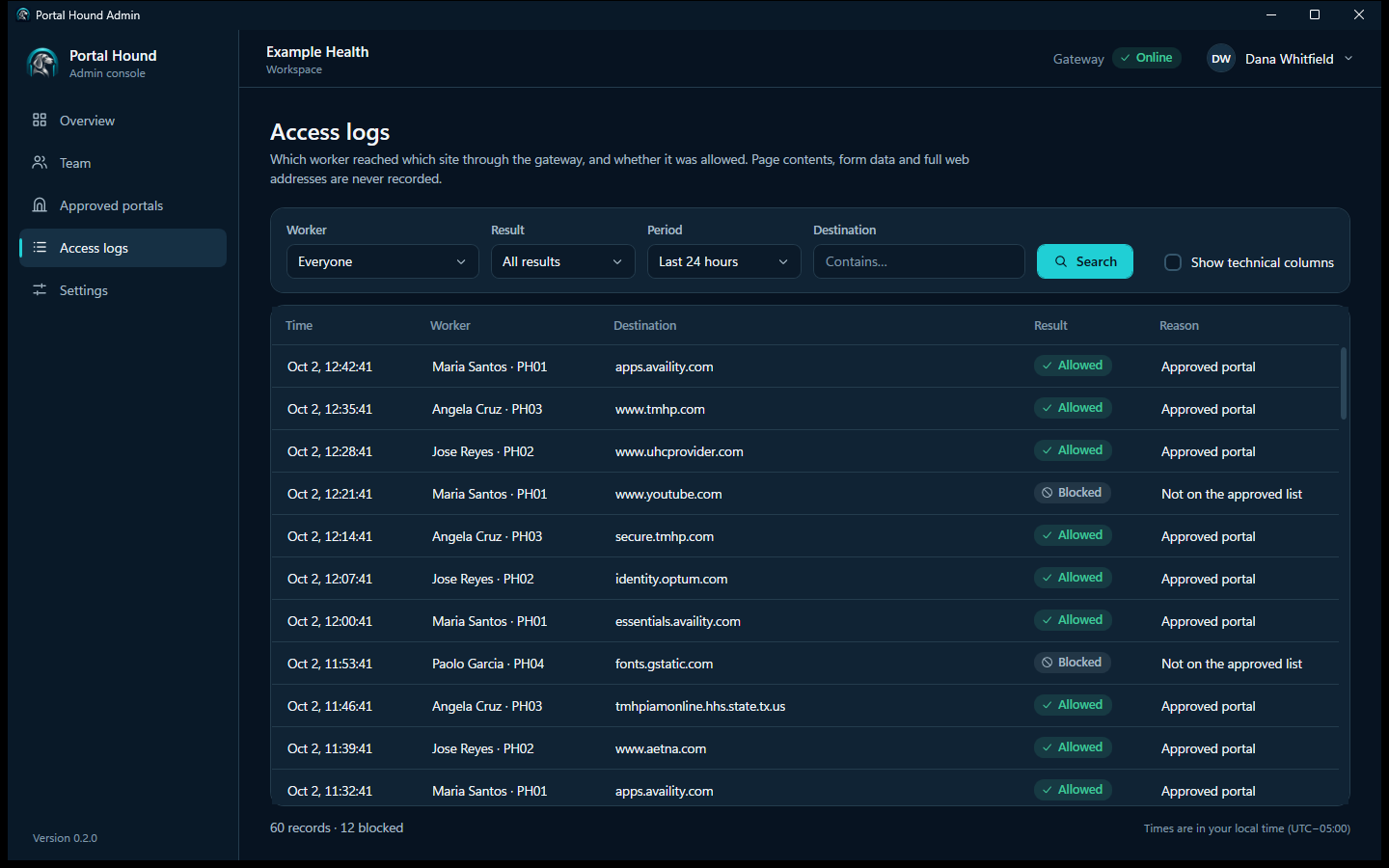
- Access logs show which accountant reached which client platform and when, for your own review and for client questions.
- When someone leaves, revoke them once; nobody else is affected and no client password changes.
Requirements
Portal Hound is for teams already allowed to work offshore.
It controls and records how your team reaches portals. It doesn't change who is allowed to use them, or where from.
Your agreements must permit offshore access
Some bank, tax-agency and government portals prohibit access from outside the U.S. or require it to be disclosed. Check each one, and your engagement letters, before routing it. Portal Hound is not a way around a portal's location rules.
Every person uses their own login
Your team members sign in to each platform with accounts issued to them, in the role they need. Portal Hound never shares, stores or fills in a login, and it isn't for working as somebody else.
Regulated data stays your responsibility
Client financial data is confidential under your engagement letters and, often, state law. Your firm's safeguards, access policies and training still apply; Portal Hound adds access control and an audit record.
Tell your team access is logged
The access log records which person reached which platform and when. Tell them, and follow the privacy and employment rules where they work.
Portal Hound doesn't guarantee access to any portal. The companies that run them decide who may use their systems. Full requirements.
Questions from accounting and bookkeeping firms
Does Portal Hound store client credentials?
No. Each accountant signs in to each platform with their own user. Portal Hound never sees, stores or fills in a password, and it never decrypts the session.
Can clients see that we use it?
Only in the sense that your firm's logins come from one consistent U.S. address. There's nothing to install on the client side.
What about bank portals that block foreign logins?
If a bank's terms restrict access from abroad, routing it through Portal Hound doesn't change those terms. Use it for the platforms you're permitted to reach offshore, and keep the rest onshore.
Related
See Portal Hound with your own portals.
We'll show you the worker app and admin console, and talk through setting up a gateway for your team.